Instagram Reels Translator
The Reels translator that brings your voice to new followers: post one Reel in Spanish, Portuguese, Hindi or German. Same take, same music, your voice in their language.
By translating you confirm you have the rights to this video and voice.
- Most Reels fit the free 60 s
- Stays 9:16
- Music under the new voice
How do I translate an Instagram Reel into another language?
Upload the Reel’s MP4, choose the language and keep your own voice. The new audio replaces only what you say; the music stays under it and the video stays 9:16. Reels under 60 seconds can be previewed free; longer ones use 1.5 credits / min for a dub.
- Free preview
- 60 seconds
- Format
- 9:16 in, 9:16 out
- Dub
- 1.5 credits / min
- Captions file
- SRT
- Voice
- Yours, cloned
- Lip sync
- 5 credits / min
Outfit and styling Reels
The try-on stays the same. The voice explaining it speaks Spanish.

Styling Reels are short and fast: three looks in thirty seconds. Each translated line is fitted into the gap you left in the original, so the cuts still land on the words.
Brand names you tag stay as written once they are in the glossary, so “Zara” or your own label never gets translated.
- Fits inside the free preview
- Brand names kept
- Your voice, not a stock one
Small businesses near tourists
A café, a hotel, a tour: say hello to visitors in their language.

A business in a tourist town can post the same Reel in English, Spanish and German without filming three times. The espresso machine and the room noise stay in; only your voice changes language.
Each version is a separate vertical file, so you can post it on its own or schedule it for the audience that speaks it. A Reel under 60 seconds can be previewed free before you spend anything.
Dance and fitness teachers
“Five, six, seven, eight” — on the beat, in another language.
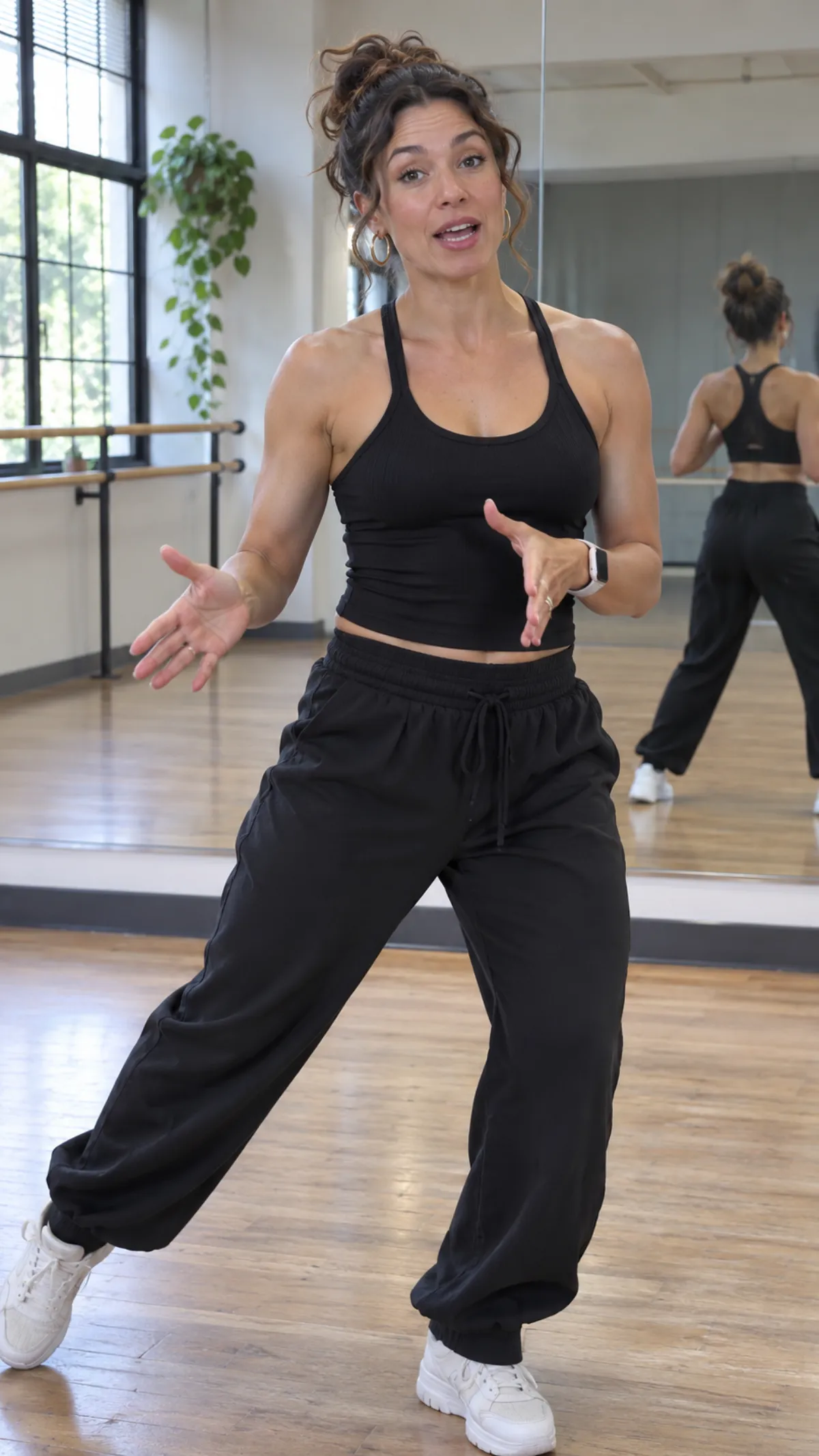
The track stays where it was, under the new voice, so the count still matches the music. If a line runs longer than your original, it is flagged before it is voiced, and you can shorten it.
Teachers often post the same routine for students abroad. Your voice keeps the energy your class knows.
Which Reels translate well
We translate what is said. A quick check before you upload.
Dub, captions or film it again?
Three ways to post a 45-second Reel for a second audience.
From one Reel to three languages
Export, choose, post.
- 1Export the clean fileTake the MP4 from your editor or camera roll — the version with your voice, before any app effects.
- 2Choose who it is forOne language per post, or several from the same upload.
- 3Post itA vertical MP4 per language, plus an SRT to style captions in your editor.
Popular language pairs
Every pair works both ways — dubbing and subtitles.
Discover more tools
Everything you need to take one video into many languages.



Frequently asked questions
Is the Reels translator free?
A Reel under 60 seconds can be previewed free without an account, which covers most Reels. Past that, a dub uses 1.5 credits a minute and translated captions 0.2.
Which file should I upload: the one from Instagram or the original?
The original from your camera roll or editor. A Reel saved back out of Instagram is compressed and has the music baked in. There is no link import yet, so the file comes from your phone or computer.
Will my Reel still be vertical?
Yes. A 9:16 upload comes back 9:16 at the same size, so nothing is cropped when you post it.
Does the dubbed Reel sound like me?
The voice is learned from your video itself, so viewers hear your tone and pace in the new language — no recording session. It works best on clear speech without loud music on top. Try the free preview first: it uses the same voice you would get on the whole video.
What about the song I picked inside Instagram?
Music you added from Instagram’s library is not in the file you export, so pick it again when you post. Music that is in your file stays under the new voice.
Can followers read captions instead?
Yes. Every job gives you the translated SRT and VTT, plus a bilingual file. Style them in CapCut or Edits and burn them in there, so they match your other Reels.
Should I post each language as its own Reel?
Usually, yes: one Reel per language, with a caption in that language, reaches the people who speak it. The file is a normal vertical MP4, so it also works as a Short or a TikTok.
How long can a Reel be?
Files up to 2 GB. A free preview covers the first 60 seconds of any length of video. With credits, packs and the Creator plan take videos up to 30 minutes, Pro up to 60, and Studio up to 2 hours. A longer video can be trimmed to the part you need; only that part is processed and charged.
Run your next Reel through the Reels translator
Try one under a minute — the preview is free.