What Is Lip-Sync Translation? How AI Matches Lips to a New Language
Lip-sync translation redraws a speaker's mouth to match a dubbed language. How it works, when it's worth the cost, what footage works, and real frames.
On this page
Watch a dubbed film for a minute and you'll notice the mouths: the actor's lips form one language while you hear another. Viewers forgive it in films. In a presenter video, an ad or a course, where a face talks straight to you, it's harder to ignore. Lip-sync translation closes that gap by changing the picture as well as the sound.
This guide explains what lip-sync translation is, how AI does it, when it's worth paying for, and what footage gives the best results, with real frames from our own sample clips.
What it is
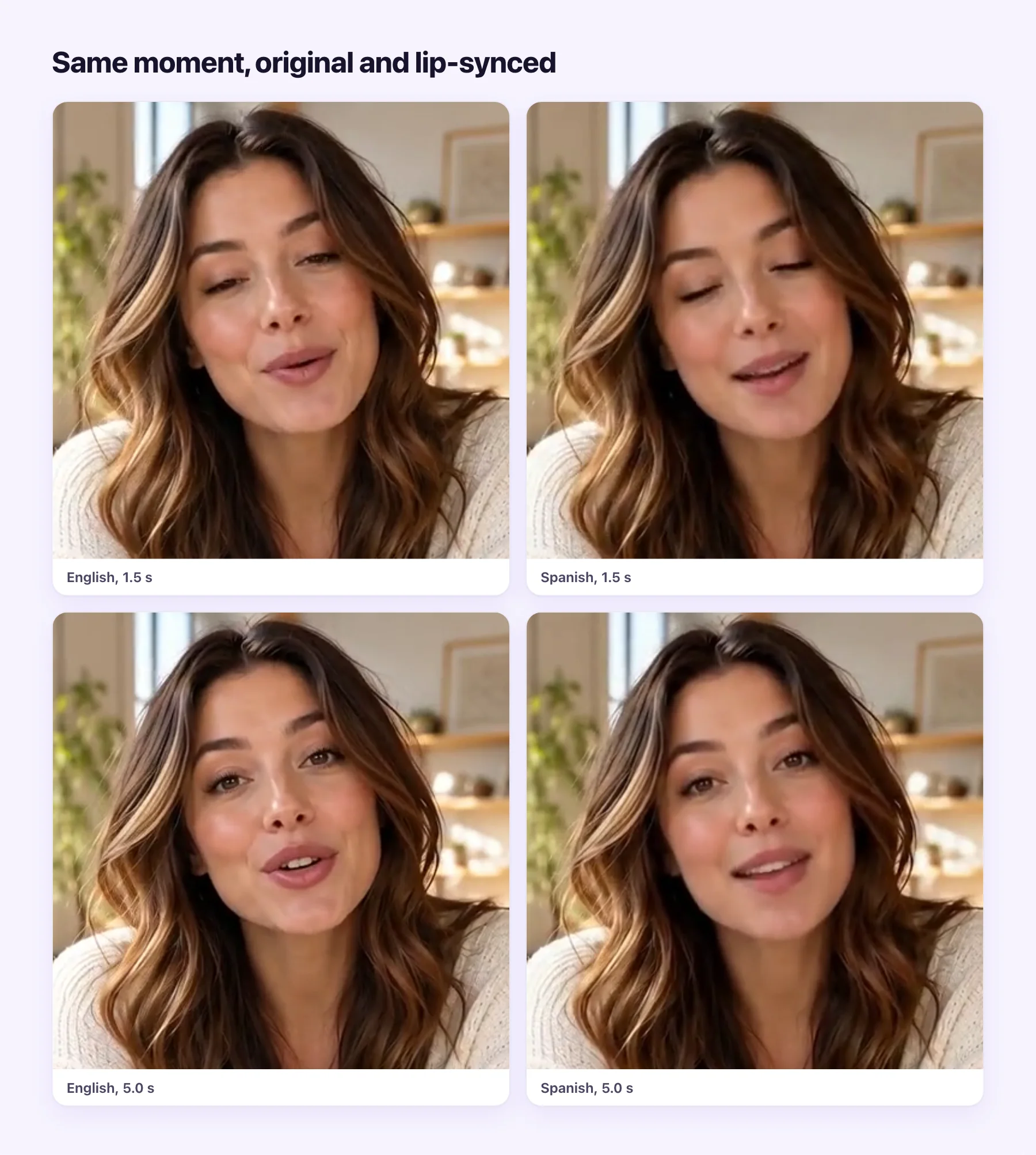
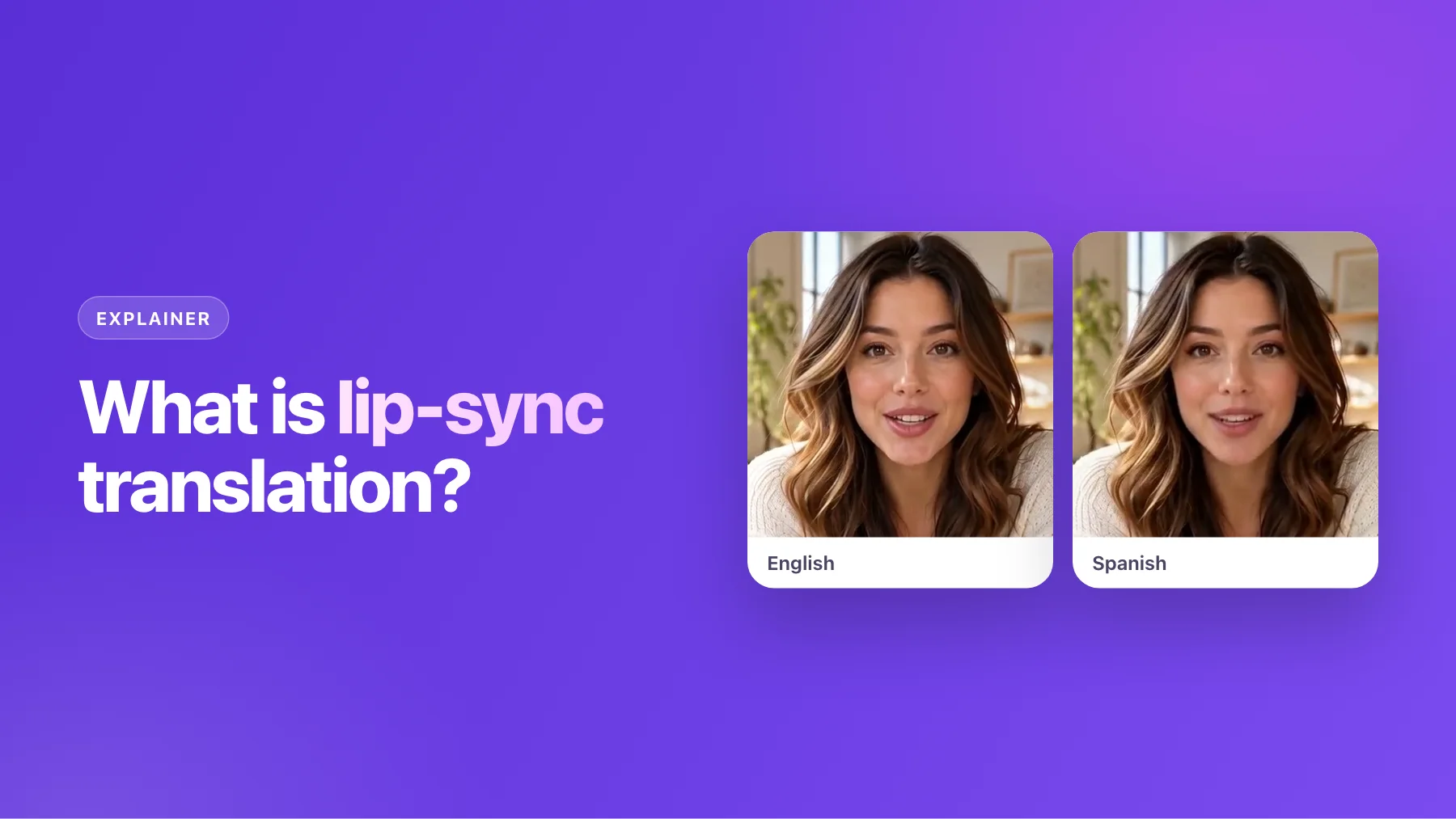
Lip-sync translation is a dub plus one more step. The speech is transcribed, translated and voiced in the new language, as in any dub. Then the mouth area of every frame where the speaker appears is redrawn so the lips form the new words. Everything else, including the eyes, the expressions, the background and the camera movement, stays as it was filmed.
The frames above are from one of our sample clips: an English presenter, and the same clip lip-synced into Spanish. Look at the mouth shapes at the same moments. They differ, because the words differ.
How it works
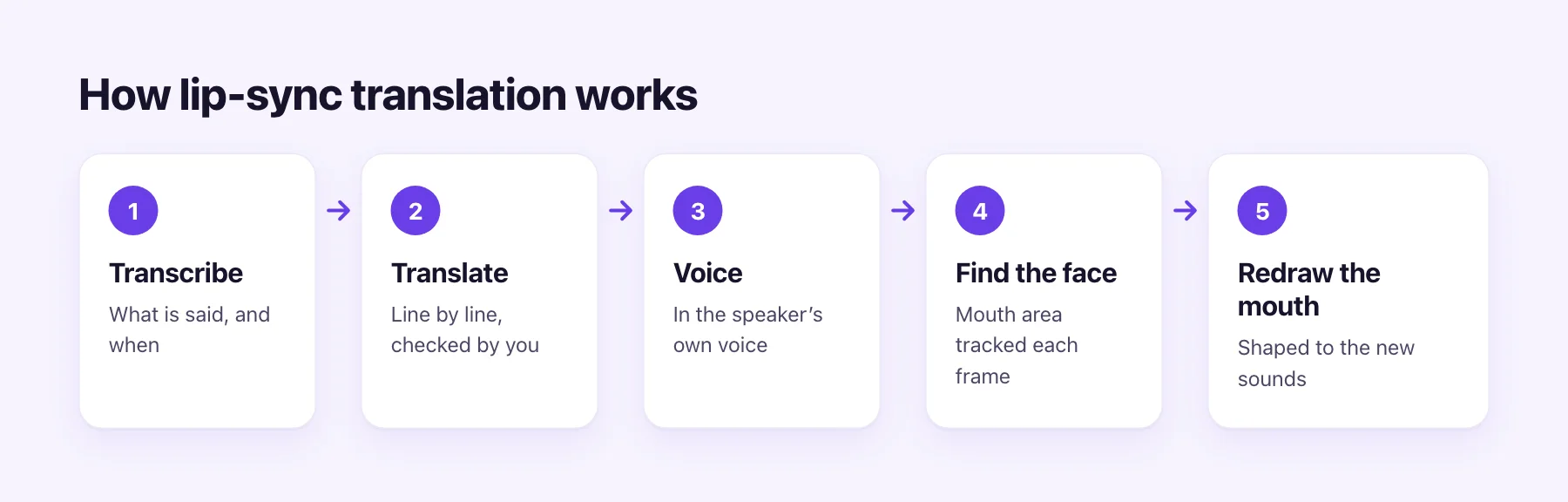
- Transcribe. Speech recognition writes down what is said and when.
- Translate. Each line is translated in context. You check the script, fix names and terms, and drop lines you don't want.
- Voice. The translation is spoken in a voice learned from the speaker, timed to the original lines, and mixed over the original music and effects.
- Find the face. The speaker's face and mouth area are tracked frame by frame.
- Redraw the mouth. A model generates mouth movements that match the new audio and blends them into each frame.
The first three steps are the same as a normal dub. The last two are what lip sync adds, and they're why it takes longer and costs more.
Try it on your video
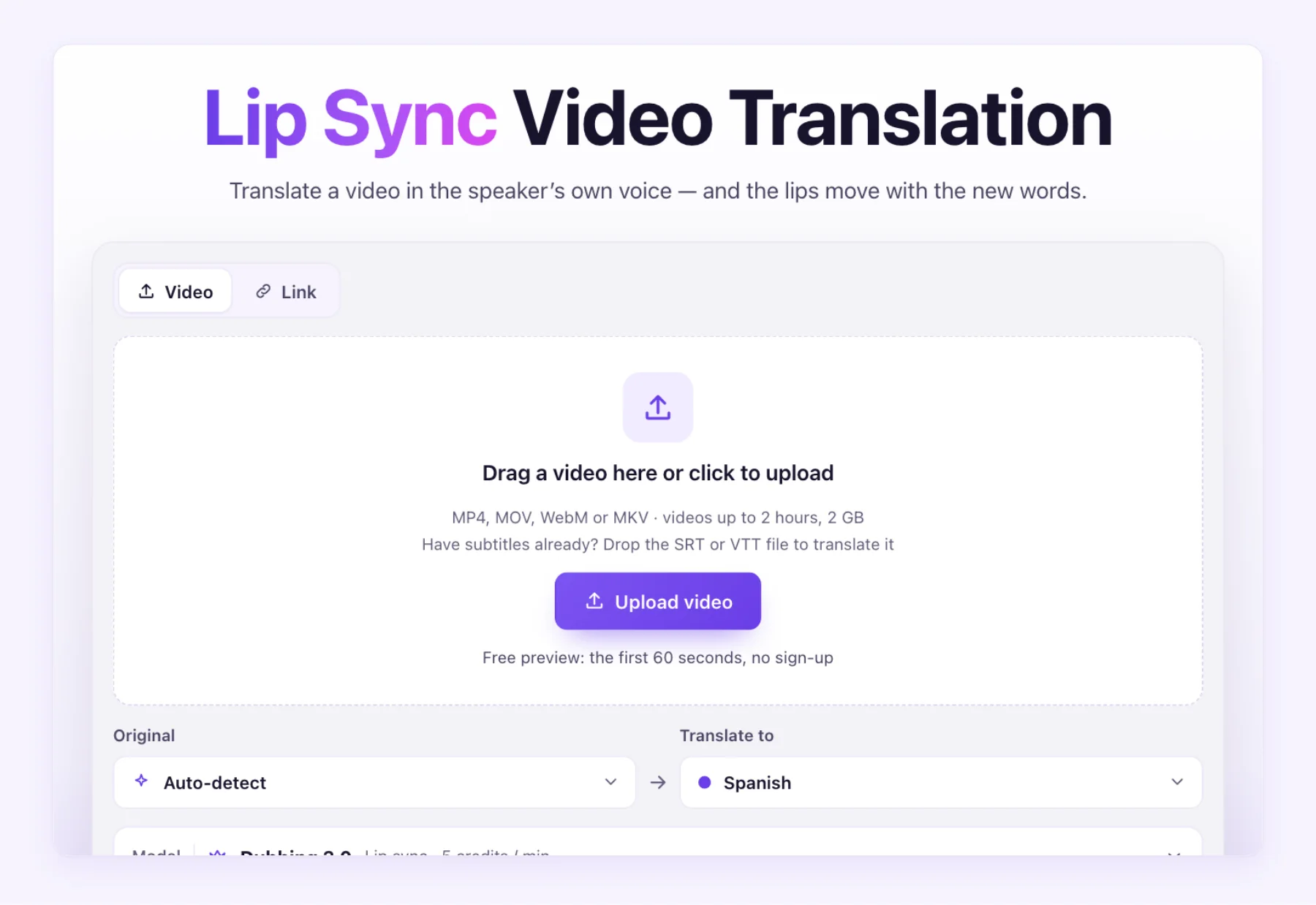
On the lip-sync translation tool you upload the video, pick the languages, and choose the lip-sync dub. You review the script before anything is generated.
Dub or lip-sync dub?
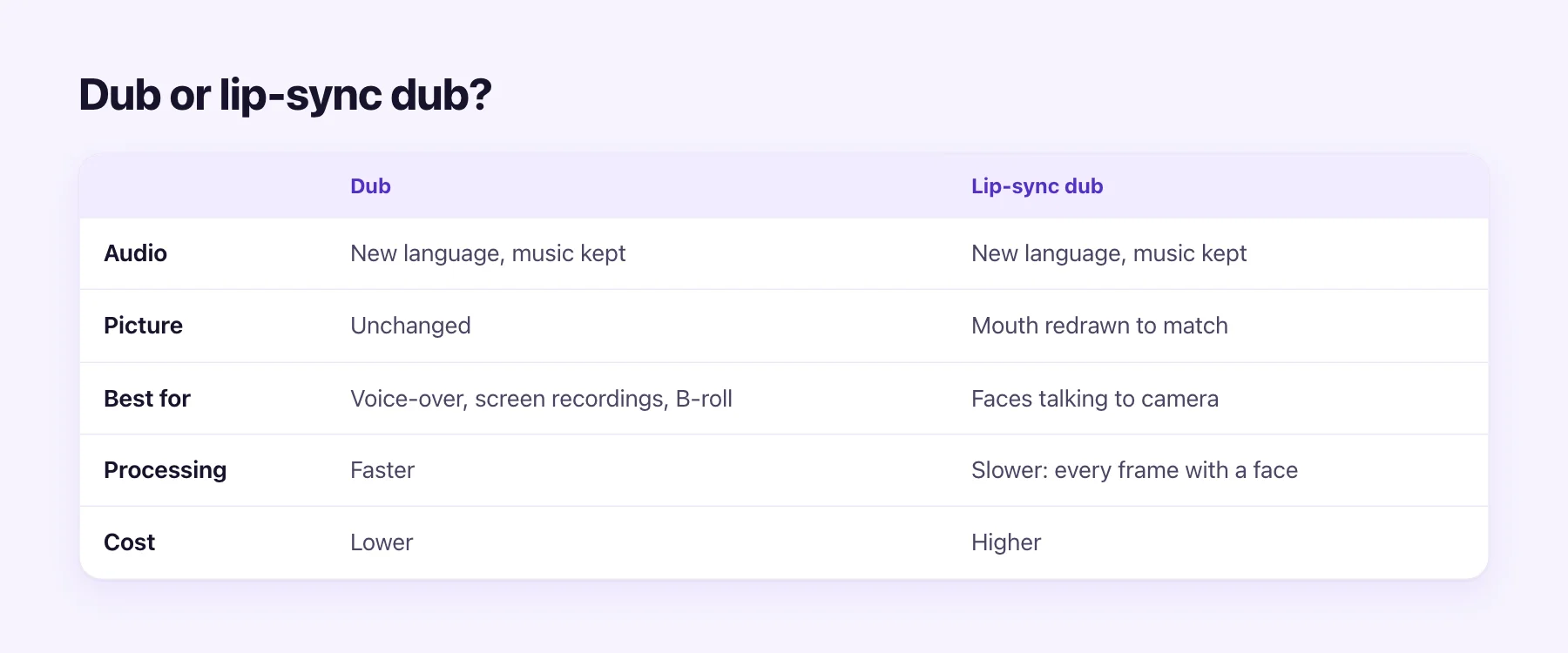
| Dub | Lip-sync dub | |
|---|---|---|
| Audio | New language, original music kept | New language, original music kept |
| Picture | Unchanged | Mouth redrawn to match |
| Best for | Screen recordings, voice-over, B-roll, faces far from camera | Faces talking to camera |
| AI Video Dubbing rate | 1.5 credits / min | 5 credits / min |
| From, per minute | $0.54 | $1.78 |
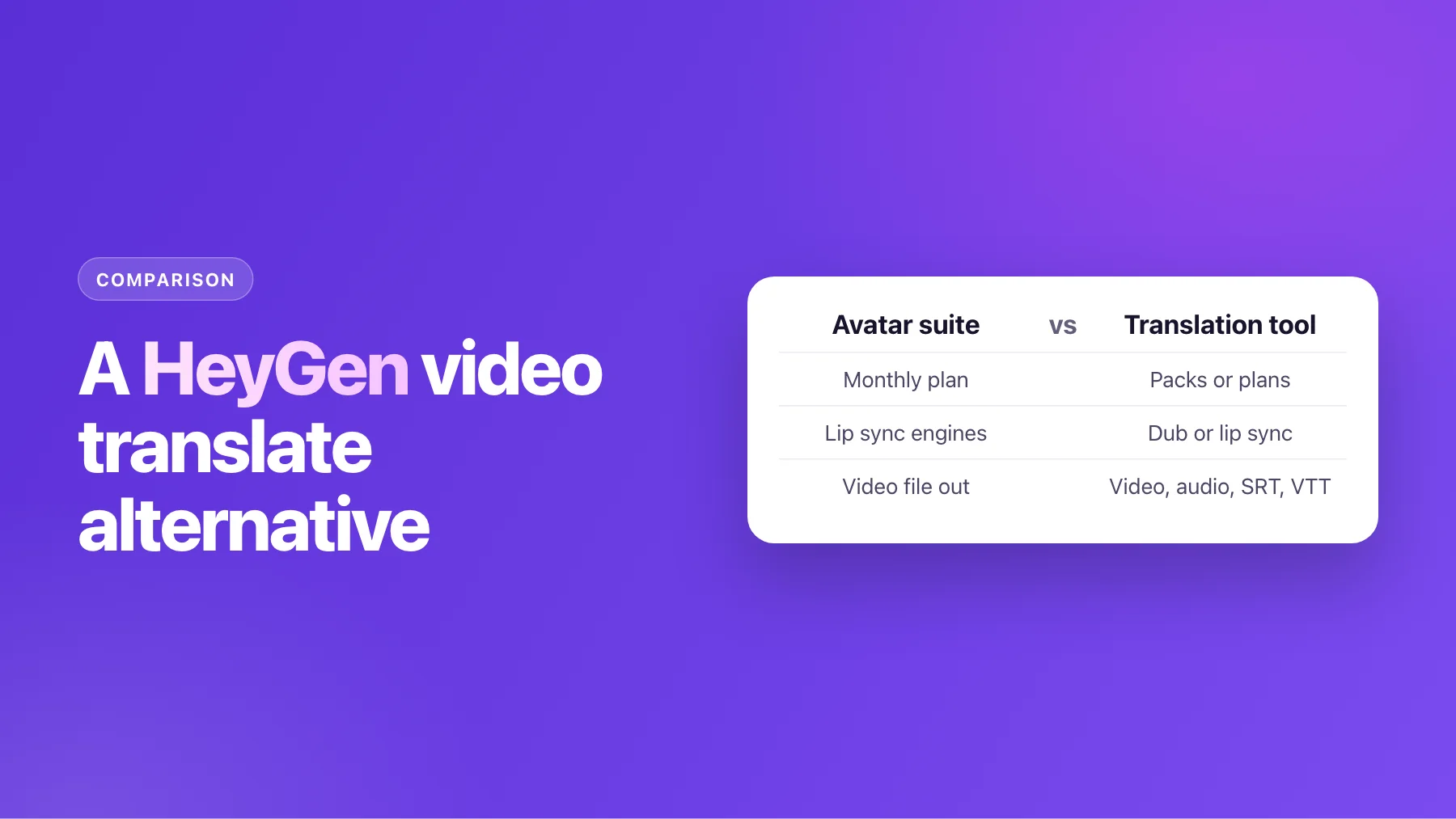
The rule of thumb: if viewers can see a mouth clearly for most of the video, lip sync is worth it. If the video is a screen recording, a slideshow with narration, or wide shots where faces are small, a plain dub sounds the same and costs less. Many creators dub their whole library and keep lip sync for the videos where a face carries the message: intros, ads, course welcomes, founder videos.
Footage that syncs well
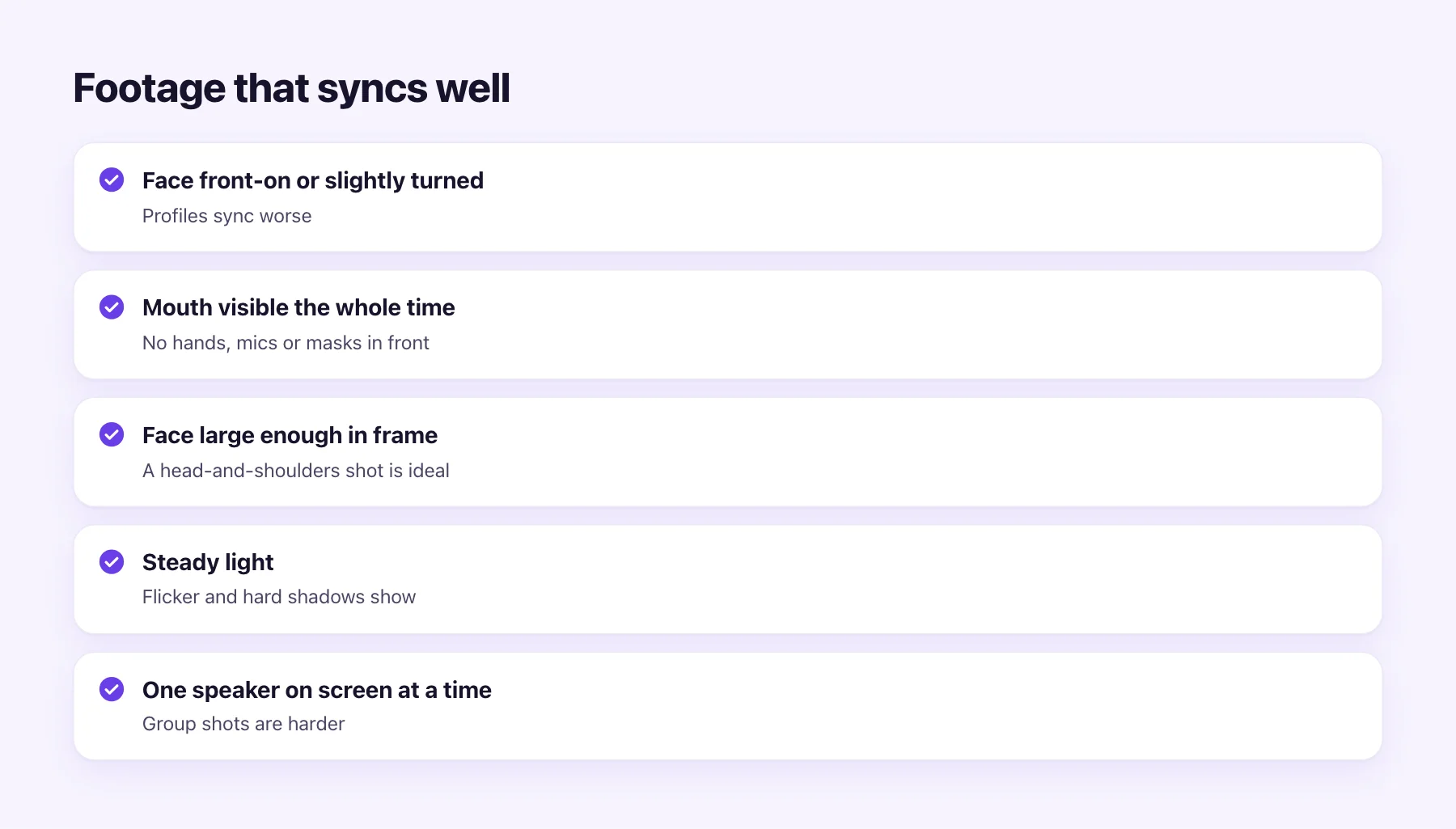
The model can only redraw what it can see clearly. You'll get the best results when:
- The face is front-on or slightly turned. Profiles show half a mouth, which is harder to match.
- The mouth is visible the whole time. Hands, microphones, cups and masks in front of the mouth confuse tracking.
- The face is large enough. A head-and-shoulders shot is ideal; a small face in a wide shot gives the model little to work with.
- The light is steady. Flicker and hard shadows across the mouth show up in the redrawn area.
- One speaker is on screen at a time. Group shots with several talking faces are harder.
The audio matters too. Clear speech with little background noise gives a cleaner transcript, a better translation and a better voice, and the lips follow the voice.
Results across languages and faces
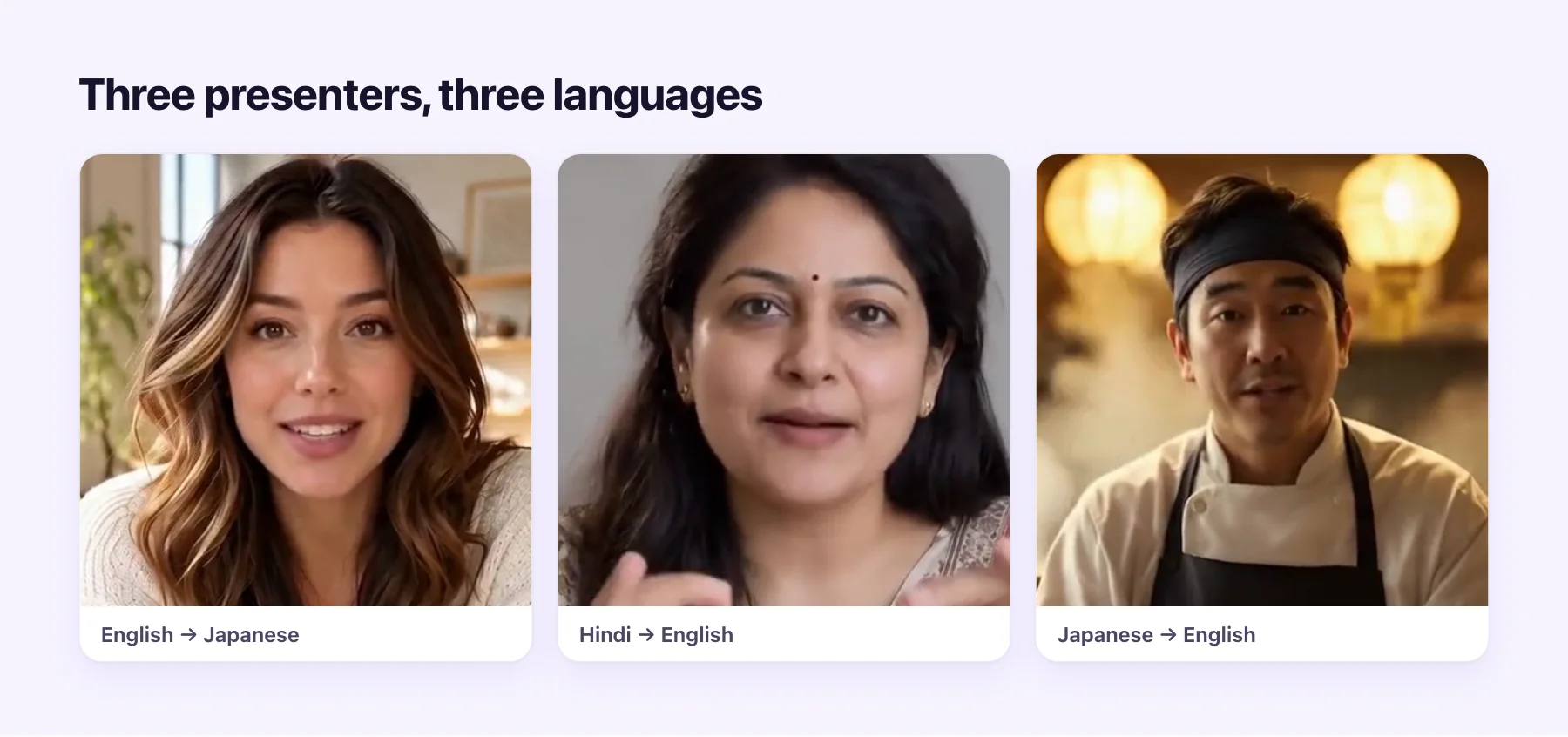
Lip-sync translation works in any direction the dub does. The frames above come from three of our sample clips: an English presenter in Japanese, a Hindi speaker in English, and a Japanese chef in English. Below are two of the finished projects, with the script and every download.
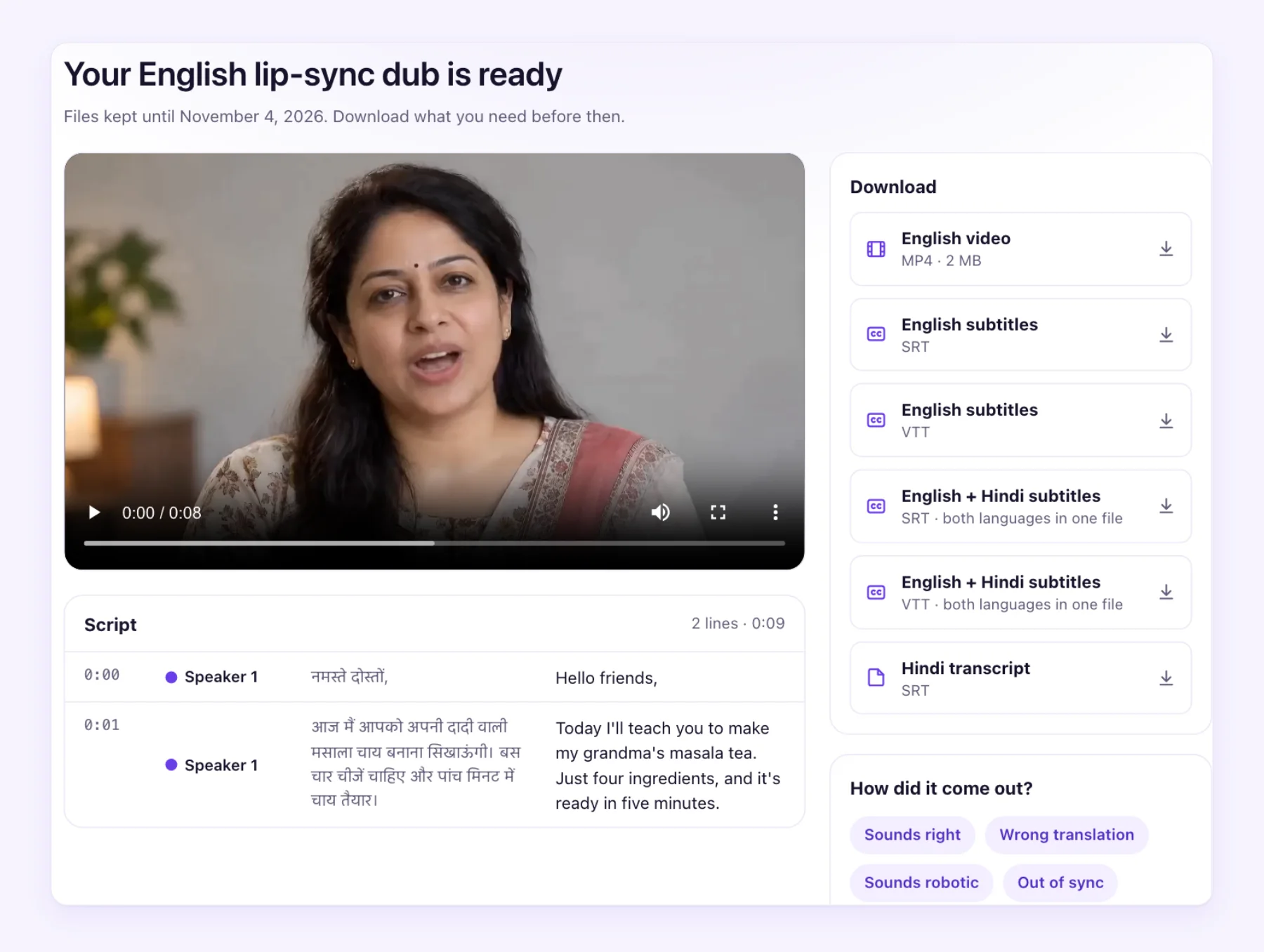
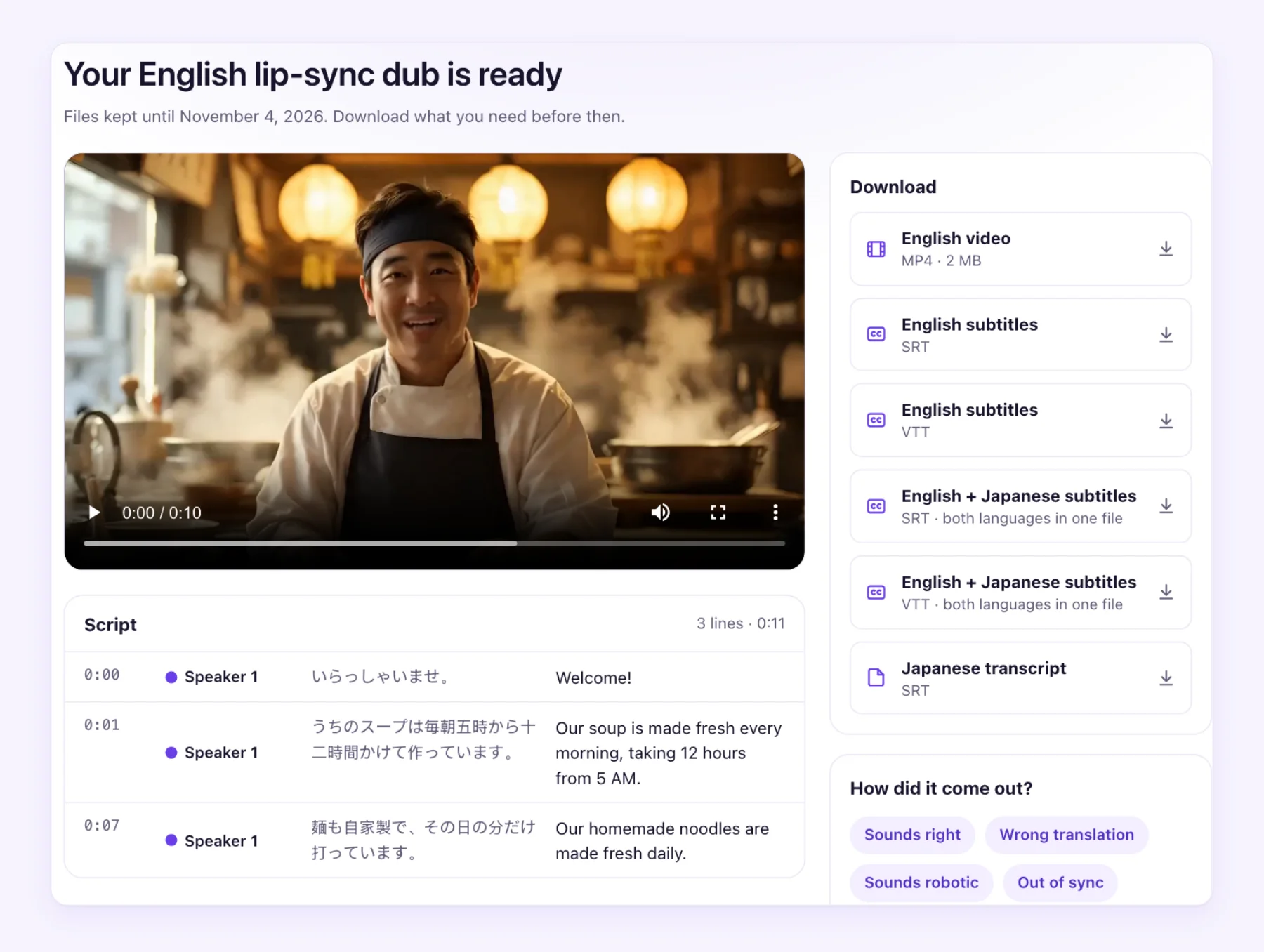
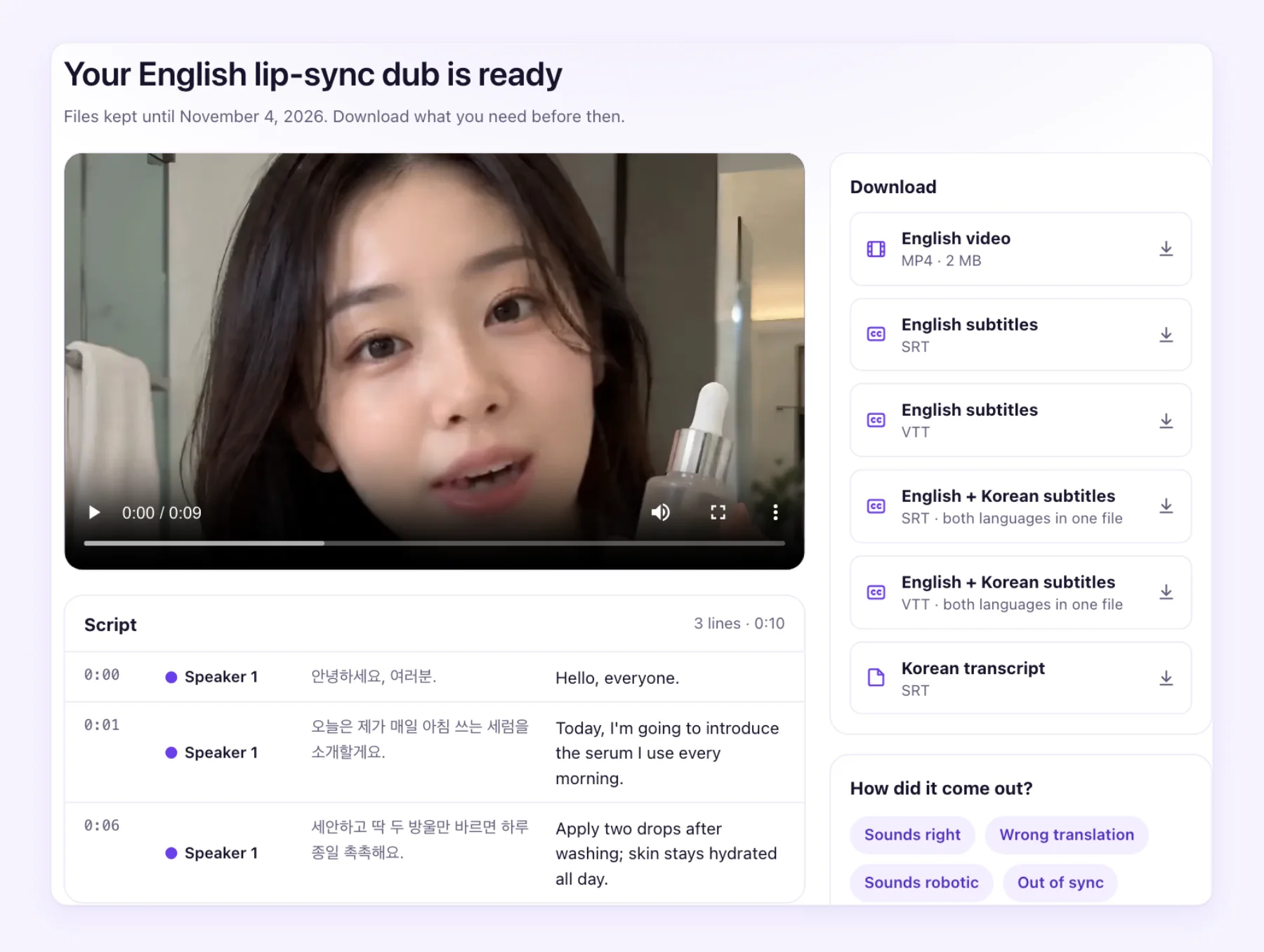
Each lip-sync job gives you the translated MP4 with no watermark, the dub as an audio-only file, subtitles as SRT and VTT, a bilingual subtitle file, and the transcript.
What lip sync doesn't change
Lip sync changes the mouth, and only the mouth. That's what keeps the rest of the video looking real, but it also means some things stay as they were:
- Text in the picture. Titles, lower thirds and slides stay in the original language. Re-edit them, or let subtitles cover them.
- Gestures and timing. A nod or a hand movement that landed on a word in the original may land on a different word in the translation.
- People who aren't speaking. Reactions from others in the frame stay as filmed.
- The cut. The edit, the length of each shot and the camera moves are untouched.
How to check a lip-sync result
Watch the result at full size, with sound, at least once. Look at three places: fast speech, where mouths move most; the moments when the speaker turns away from the camera; and the start and end of each line, where the mouth opens and closes. Then watch a section side by side with the original. If something looks off, the most common cause is in the footage: a hand, a microphone or a shadow over the mouth. The footage tips above help most the next time you film.
Where lip sync pays off
- Presenter and founder videos. The person is the message, and a mismatched mouth breaks trust.
- Ads. A few seconds of attention, and anything that looks off loses it.
- Course intros and lessons on camera. Learners watch the instructor's face for long stretches.
- Talking-head YouTube videos. Especially when the dub goes out as a separate video for a new market.
For the bigger picture of taking a video into new markets, read our video localization guide. For costs across methods, see what video dubbing costs.
Hear and see it first
The first 60 seconds of any video are free to try, with no sign-up and no watermark. Upload a clip where a face talks to camera, review the script, and compare the lip-sync dub with the original. That's the quickest way to know whether your footage is a good fit.