A HeyGen Video Translate Alternative: How the Two Compare
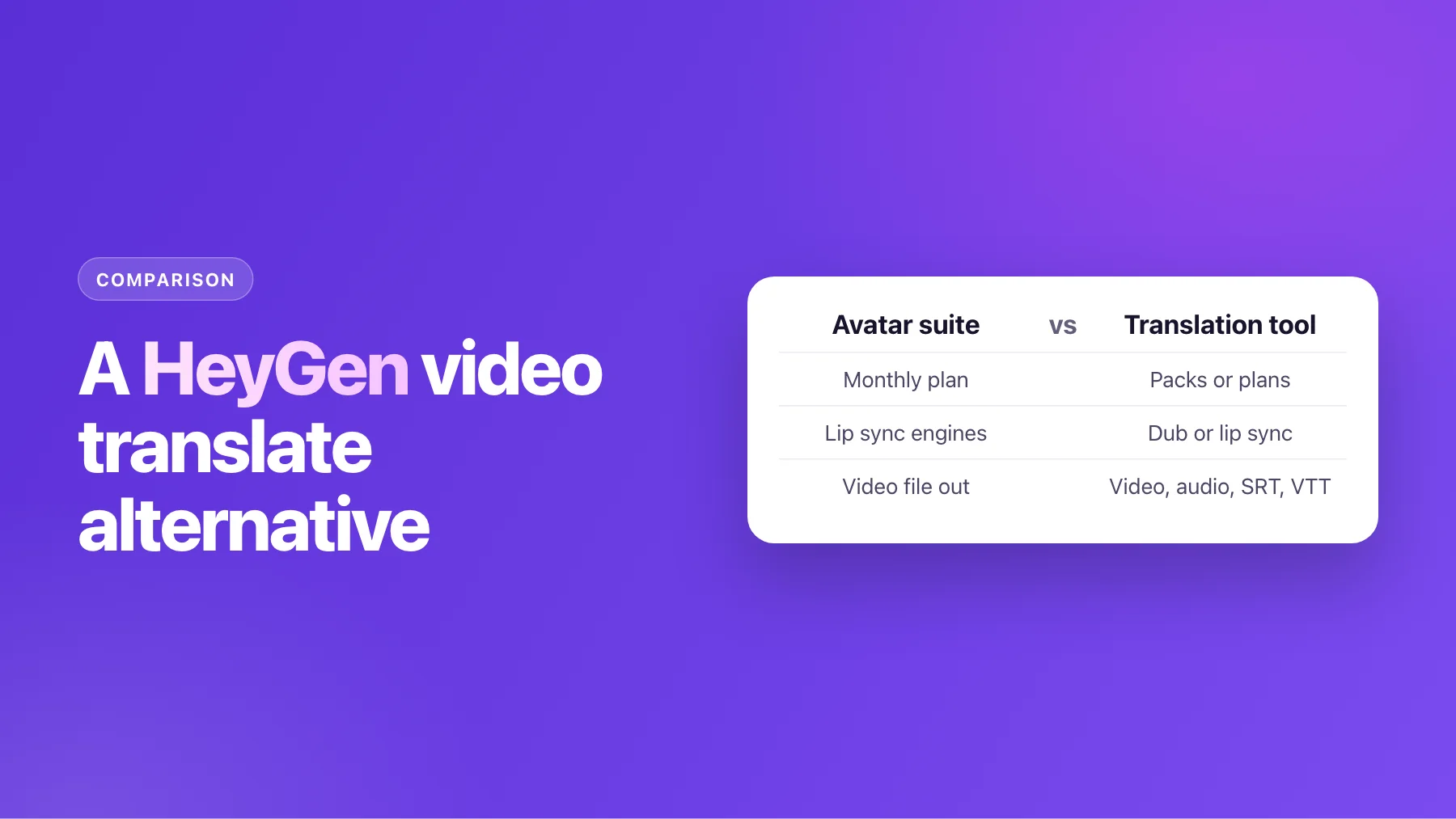
HeyGen's video translation plans, engines and per-minute cost next to AI Video Dubbing's. Where each one fits, and the questions that decide it for your videos.
On this page
HeyGen is best known for AI avatars, and video translation is one feature in a large suite. If translating your own videos is the only job you need done, it's fair to ask whether a dedicated translation tool fits better. Sometimes it does; sometimes HeyGen is the better buy.
This page puts HeyGen's published plans and engines next to AI Video Dubbing's, works out what a minute costs on each, and ends with the questions that pick the right one for your videos. Every HeyGen number comes from HeyGen's own pricing page and help center, read on 3 November 2026. Plans change, so check them before you buy.
HeyGen's plans for video translation
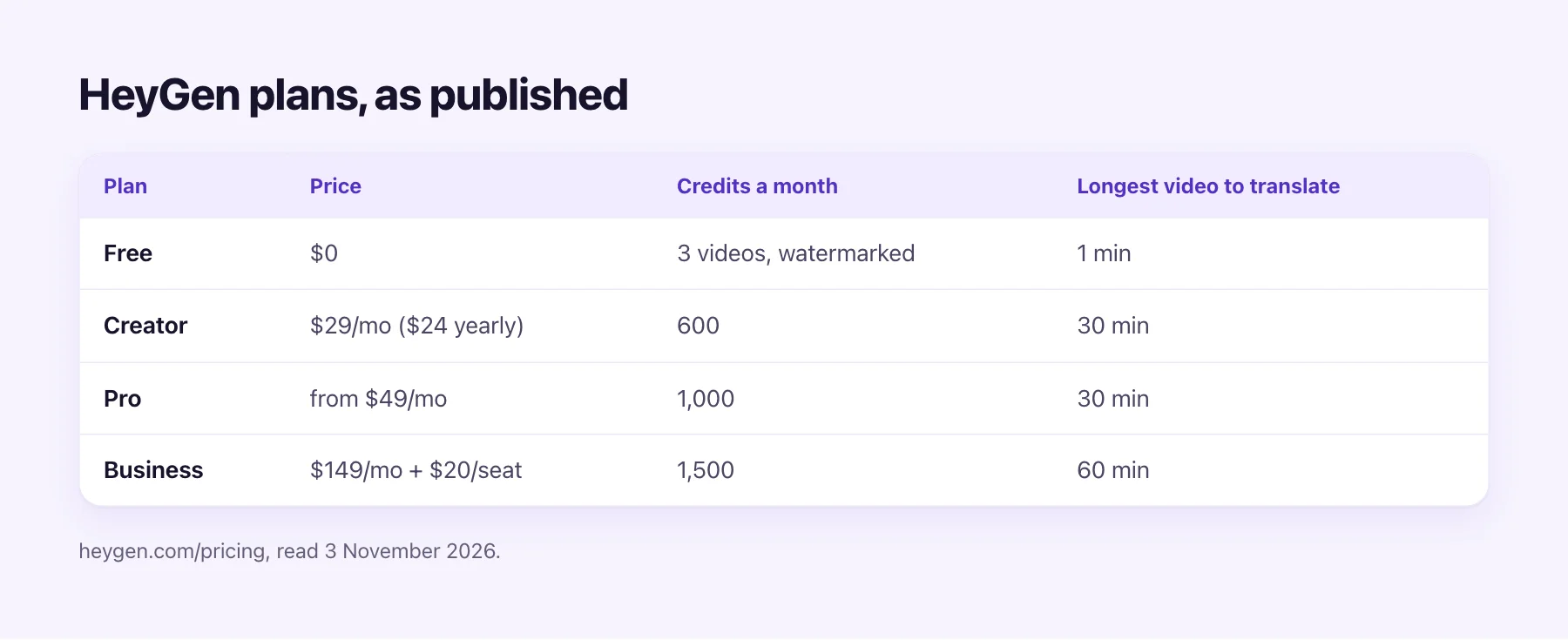
HeyGen sells monthly subscriptions. Translation draws on the same monthly credits as the rest of the suite:
- Free: $0, 3 videos a month, watermarked, up to 1 minute each, in 30+ languages.
- Creator: $29 a month, or $24 a month billed yearly. 600 credits a month, videos up to 30 minutes.
- Pro: from $49 a month. 1,000 credits, videos up to 30 minutes.
- Business: $149 a month plus $20 per seat. 1,500 credits, videos up to 60 minutes.
- Enterprise: priced on request, with no maximum length.
Paid plans list 175 languages and dialects. Uploads can be MP4, MOV or WebM, up to 5 GB.
HeyGen's engines, and what a minute costs
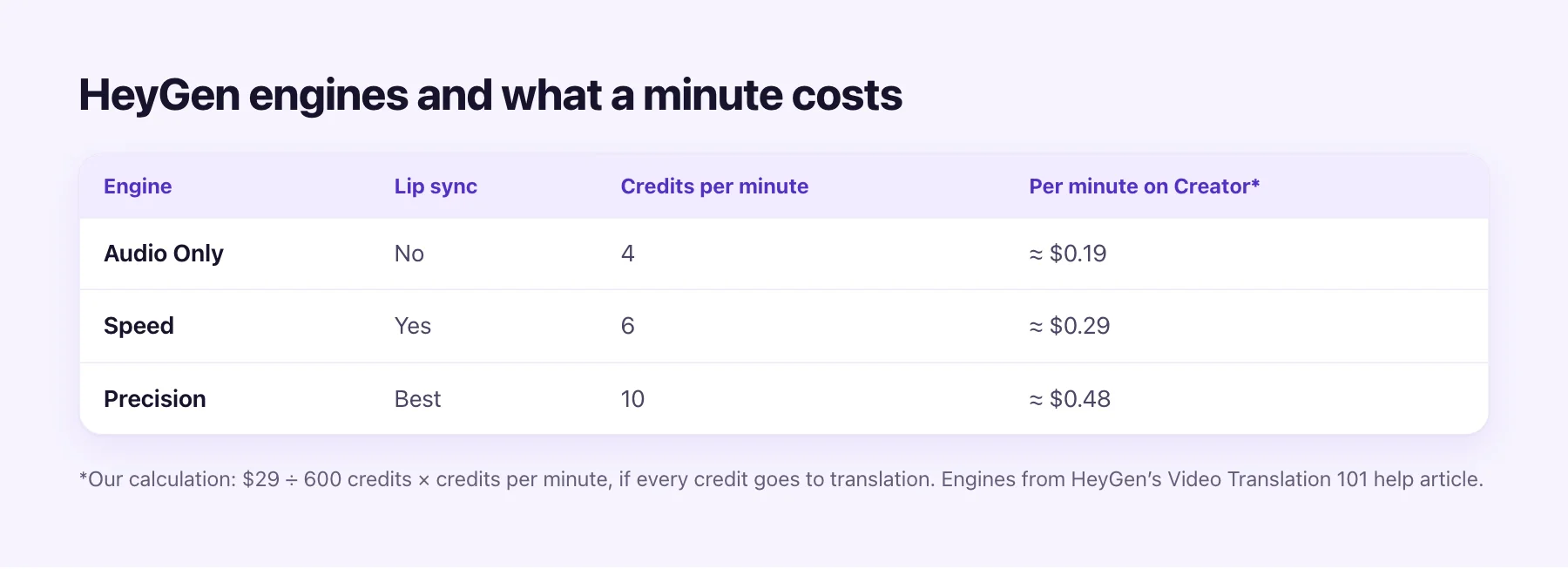
HeyGen offers three translation engines, each with its own credit cost per minute:
| Engine | Lip sync | Credits per minute | Per minute on Creator (our calculation) |
|---|---|---|---|
| Audio Only | No | 4 | about $0.19 |
| Speed | Yes | 6 | about $0.29 |
| Precision | Best | 10 | about $0.48 |
The last column divides $29 by 600 credits and multiplies by the credits per minute. That assumes every credit goes to translation. If you also make avatar videos, translation gets less of the month. An older revision of HeyGen's help article listed 2, 5 and 10 credits, so check the current rate.
Used fully, that's a low price per minute, and HeyGen deserves the credit for it. The question is whether your work fits a monthly plan.
How AI Video Dubbing works
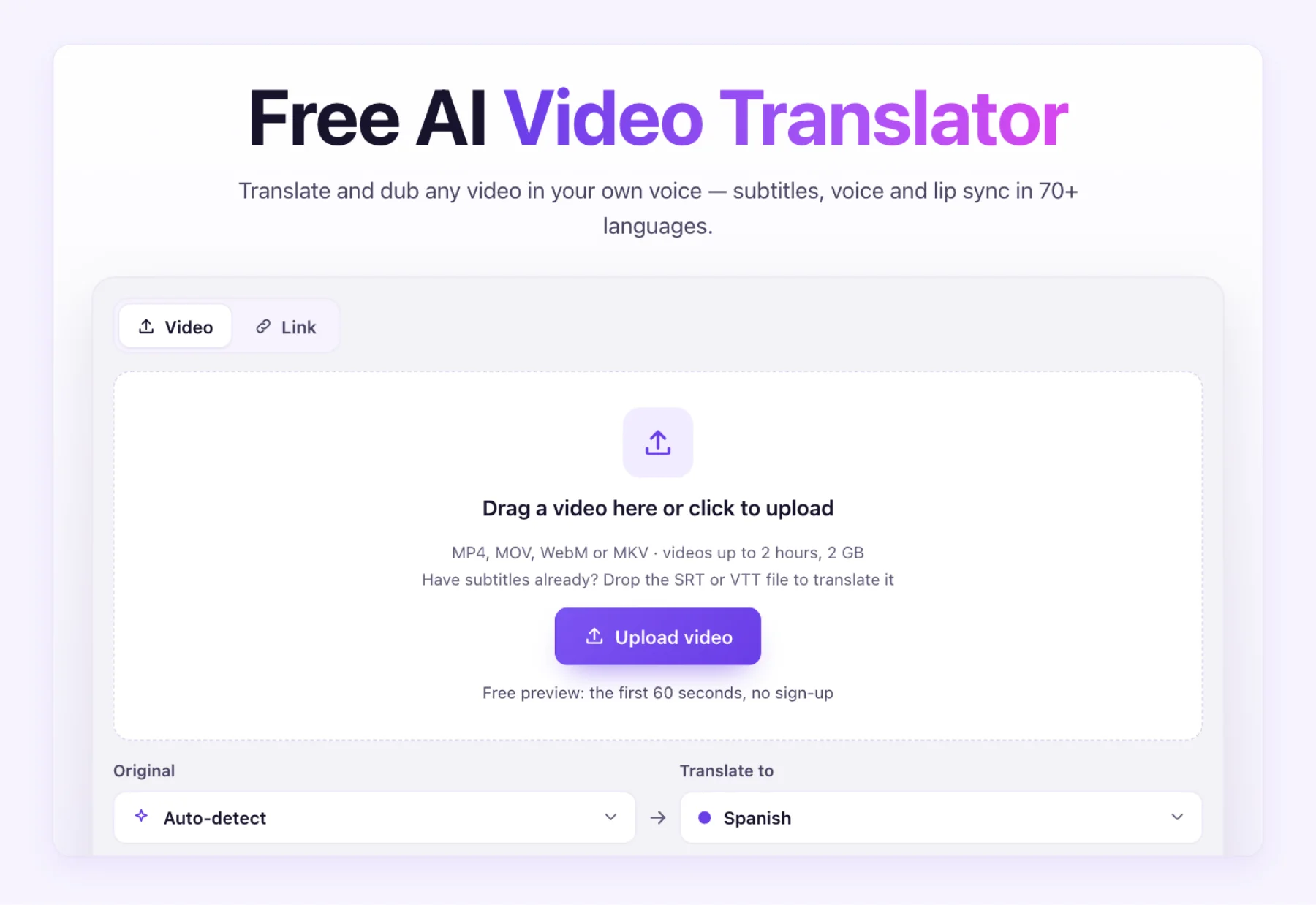
AI Video Dubbing does one job: it translates your video. You upload a file, pick the languages, and choose subtitles, a dub, or a lip-sync dub.
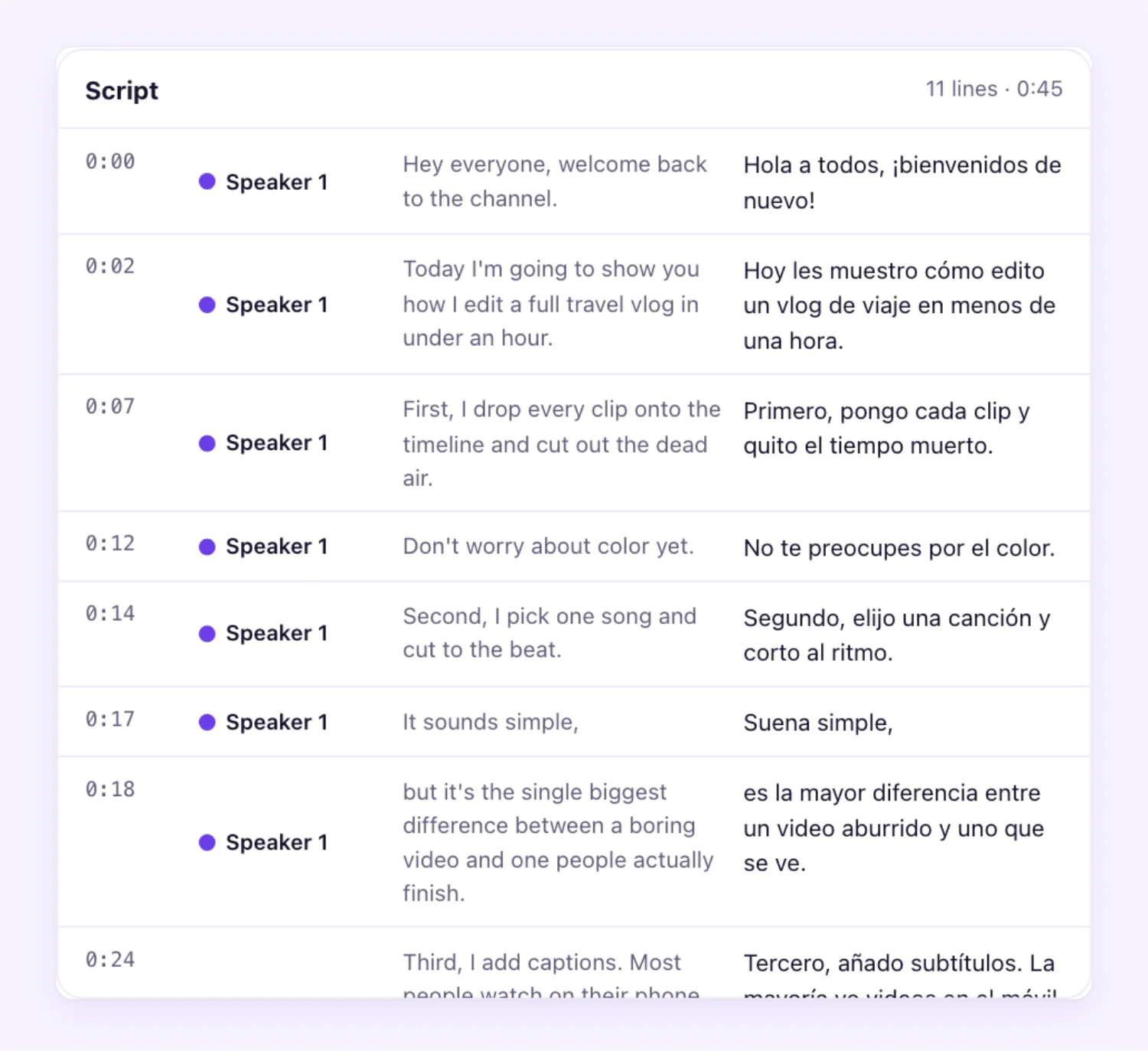
Before any voice is made, you see the whole script, original and translation side by side with timestamps. You can fix a name, reword a line, or drop a line you don't want, and a glossary keeps product terms the same in every video. This review step is part of every plan, every pack and the free preview.
The dub is voiced in a voice learned from each speaker in your video, so every speaker sounds like themselves. A library voice is there too, at no extra cost. The original music and sound effects stay in the mix.
Side by side
| HeyGen (published) | AI Video Dubbing | |
|---|---|---|
| How you pay | Monthly or yearly plan | Packs that never expire, or monthly and yearly plans |
| Lowest paid entry | $29 a month (Creator) | $9.90 once (Starter pack) |
| Free try | 3 videos a month, watermarked, 1 min | First 60 seconds of any video, no sign-up, no watermark |
| Languages | 175 languages and dialects | 70+ subtitled, 65+ in your own voice |
| Script review before voicing | Pro and above | Every plan and pack |
| Lip sync | Speed or Precision engine | Lip-sync dub, 5 credits / min |
| Dub without lip sync | Audio Only engine | Dub, 1.5 credits / min |
| Longest video | 30 min on Creator and Pro, 60 on Business | 30 min on Creator, 60 on Pro, 120 on Studio |
AI Video Dubbing's lowest price per minute is $0.54 for a dub and $1.78 for a lip-sync dub, on the best-value plan. That's above HeyGen's per-minute figure at full use. Where AI Video Dubbing wins is on how you pay and what you get: no subscription needed, credits that wait for you, and a set of files built for publishing. If a job fails, its credits come back automatically.
What you get from one job
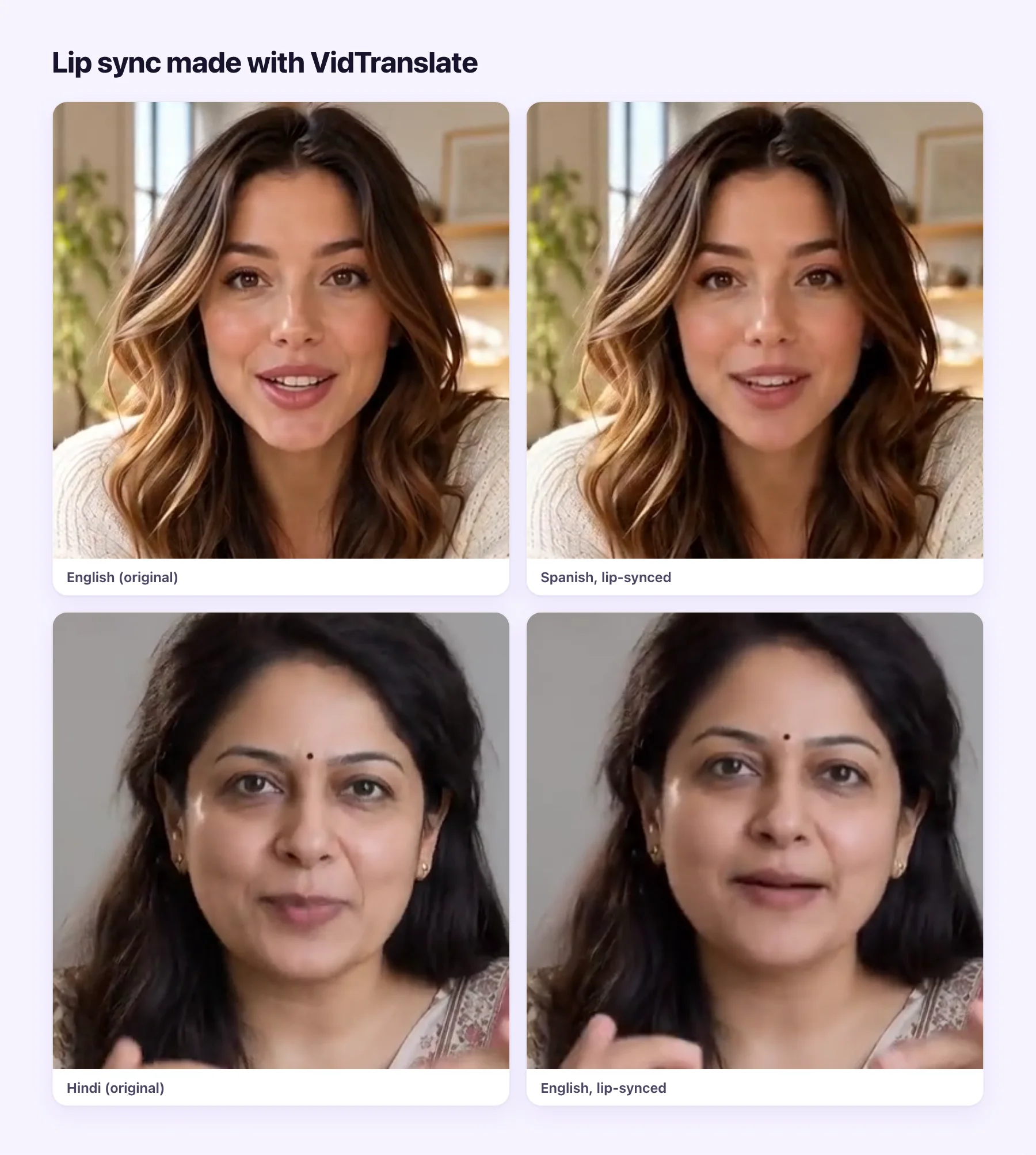
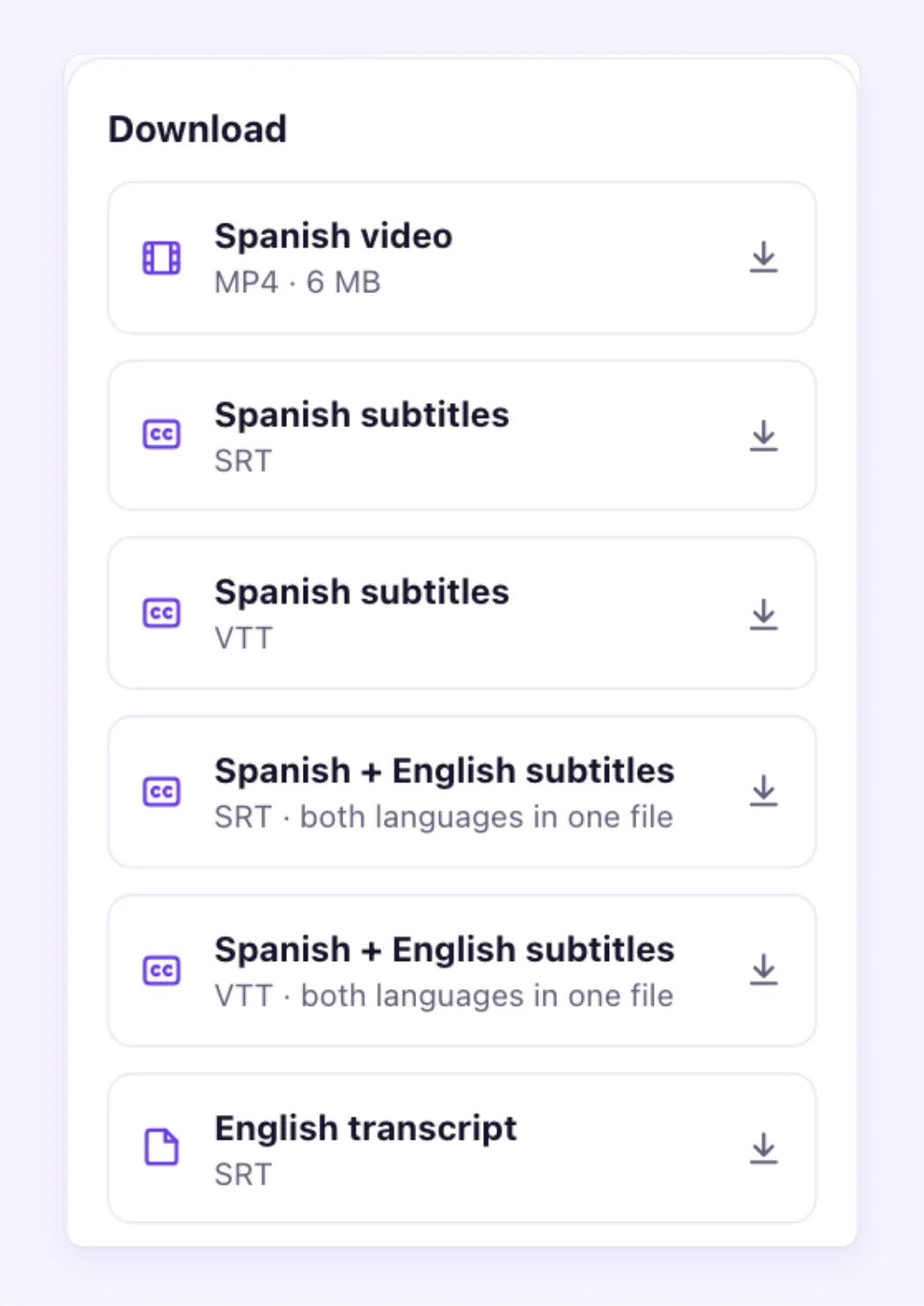
Each AI Video Dubbing job gives you more than a video file. A finished translation comes with:
- the translated MP4, with no watermark;
- the dub as an audio-only file with the music kept, ready to add as a YouTube audio track;
- subtitles in the new language as SRT and VTT;
- a bilingual subtitle file, translation on top and original below;
- the original-language transcript as an SRT.
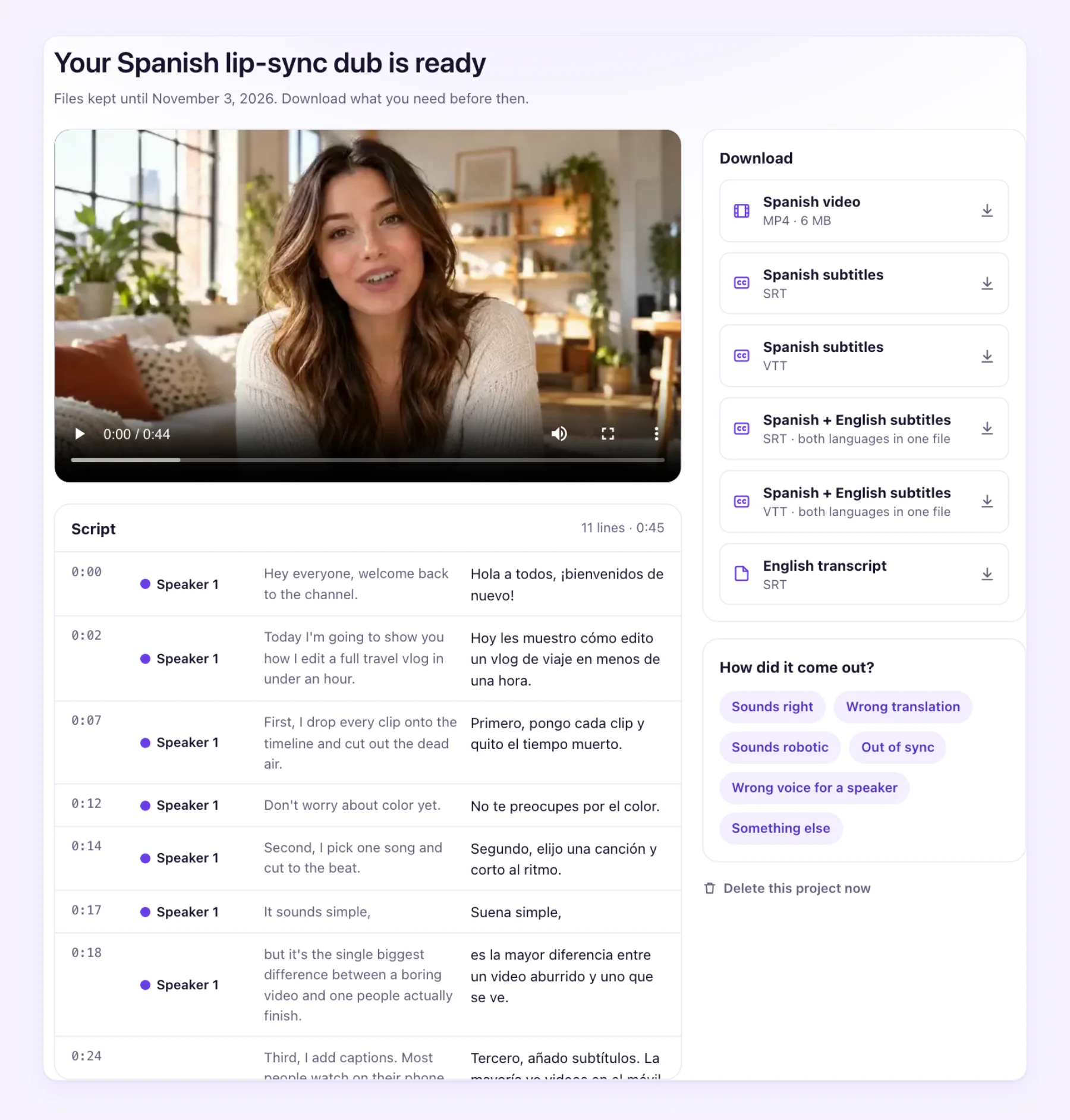
That matters if your video goes to more than one place. The audio-only file is what YouTube's multi-language audio tracks need. The SRT goes to any editor or player, and the bilingual file is handy for language-learning content or for checking a translation line by line.
If you already have subtitles, AI Video Dubbing also translates SRT and VTT files directly, keeping every timestamp. See how to translate an SRT file.
When HeyGen is the better pick
Be honest with yourself about volume and needs. HeyGen is likely the better buy when:
- You translate a lot every month. A fully used HeyGen subscription gives a low price per minute, and steady volume uses the credits.
- You also make avatar videos. One subscription covers both.
- You need a language AI Video Dubbing doesn't cover. HeyGen lists more languages and dialects.
- You want a choice of lip-sync engines. Speed and Precision trade cost against sync quality.
When AI Video Dubbing is the better pick
AI Video Dubbing tends to fit better when:
- You translate now and then. A pack from $9.90 never expires, so a quiet month costs nothing.
- You want to check the script on the lowest tier. Script review is in every plan and pack.
- You publish to YouTube or need subtitle files. The audio-only dub and the SRT, VTT and bilingual files come with every job.
- You want to hear it before paying. The first 60 seconds of any video are dubbed free with no sign-up and no watermark.
The questions that decide it
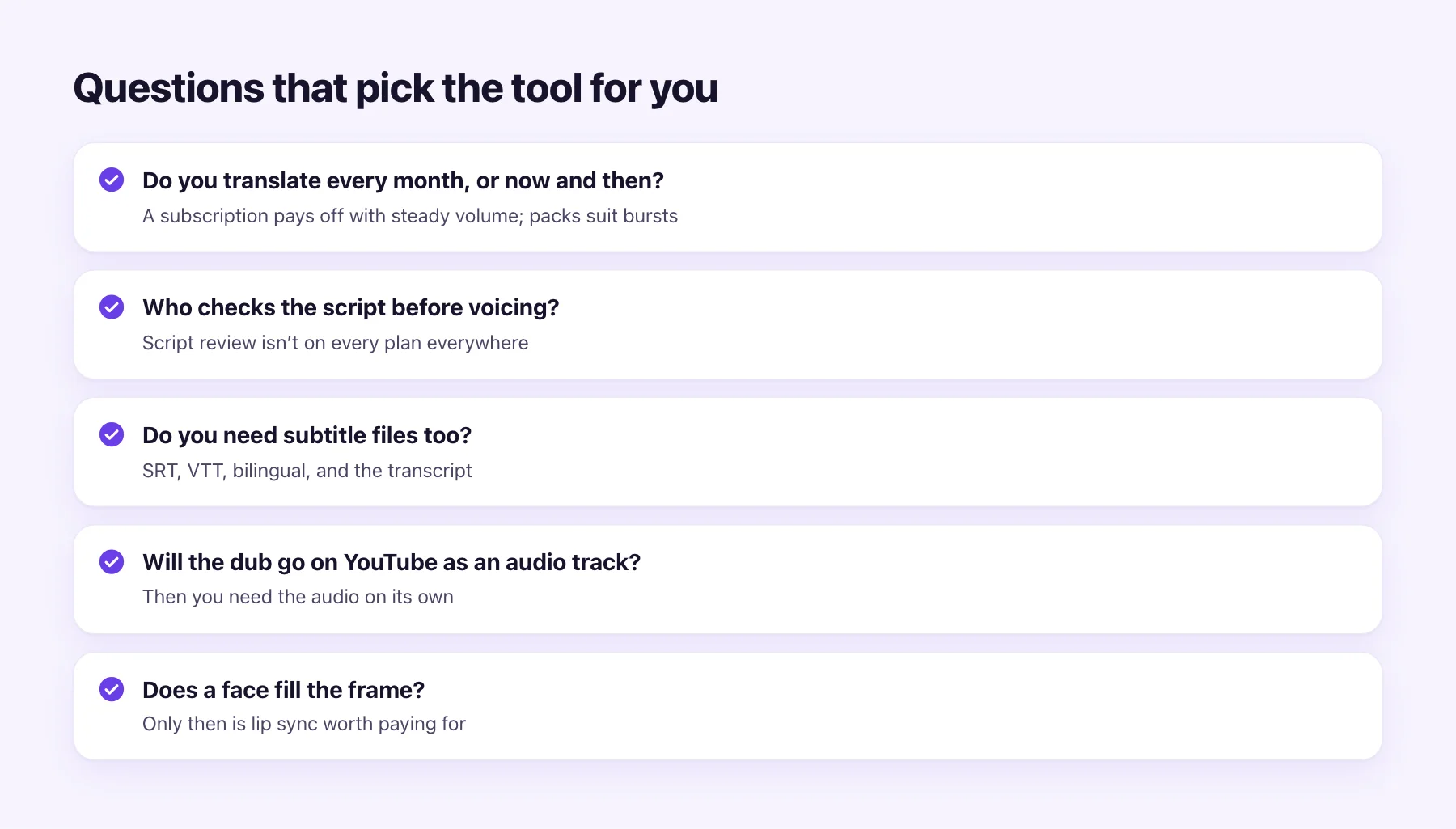
- How often do you translate? Every week favours a subscription; a few videos a quarter favours packs.
- Who checks the script? If you want to fix lines before voicing, make sure your tier includes it.
- Do you need subtitle files too? Count the extra step if your tool only gives you a video.
- Is YouTube your main channel? Then you need the dub as audio on its own.
- Does a face fill the frame? Lip sync is worth paying for only when viewers can see the mouth. For screen recordings and voice-over, a plain dub is cheaper. Our lip-sync translation explainer shows where it helps.
The fairest test is your own video. Run the first 60 seconds through AI Video Dubbing for free, listen to it, and compare it with what you'd get elsewhere. For a wider look at prices, see what video dubbing costs.